5 reasons to use Laravel Junction in your next Laravel project
In this article, I will share 5 reasons why you should consider using this package in your next or existing Laravel project. Before we go further, let’s get to know that. Laravel Junction is an open-source package that was first released in February 2024 by WEAP, one of the development teams I work closely with. I had the opportunity to use this package before it was released to the public as open-source in one of our Laravel projects. Laravel Junction allows us to create REST APIs with extended functionality.
Now, let’s dive deeper into why we need to composer install this package and start using it!
1. Boost RESTful API development for CRUD along with action endpoints for custom actions
// routes/api.php
Junction::apiResource('users', 'UserController');
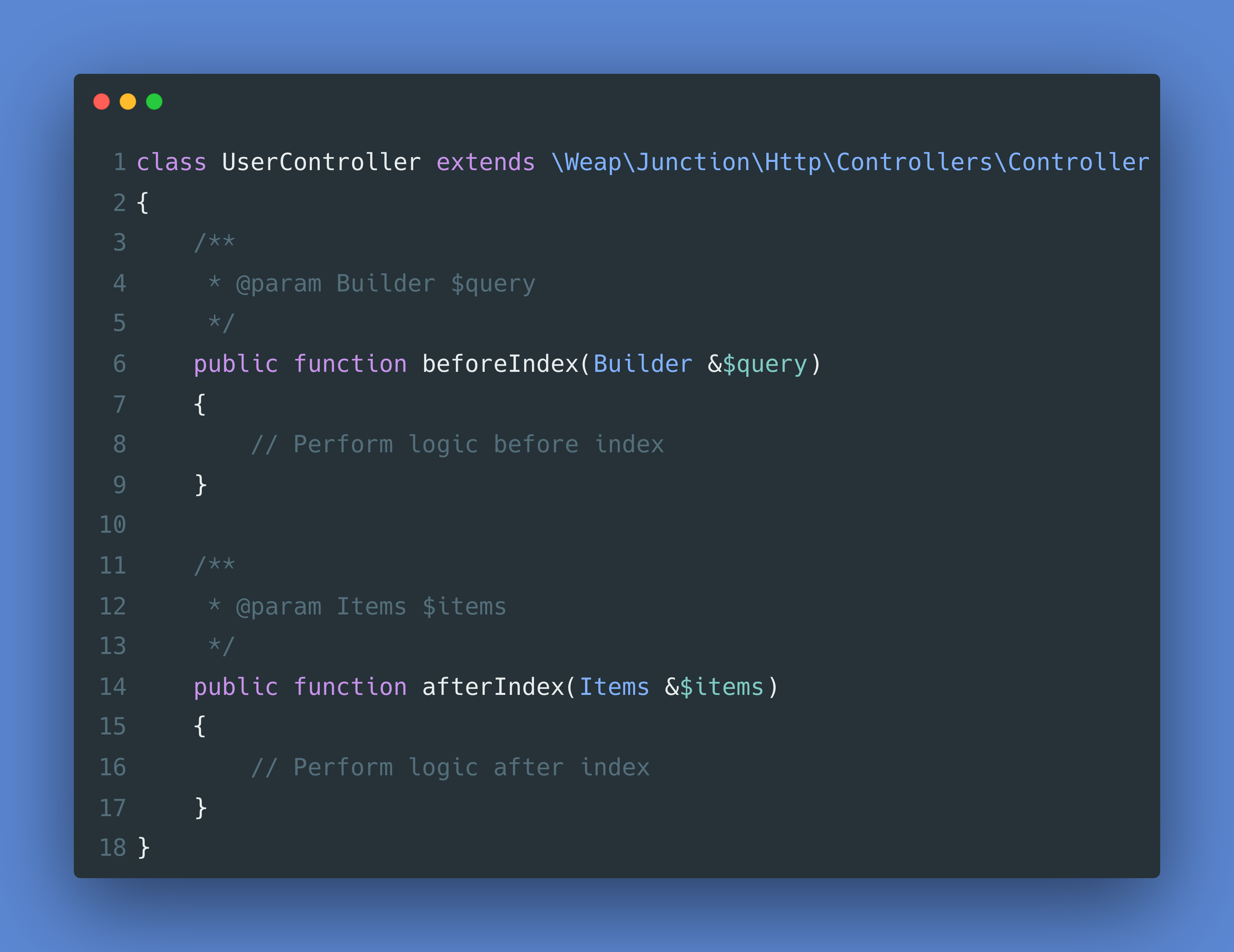
With this single line definition of apiResource in the route file, we already handle all of the REST API endpoints such as create, read, update, and delete (CRUD). These are the common endpoints that allow us to interact with the resource. If you need to perform any logic on before or after the index() endpoint, you can define that in beforeIndex() or afterIndex() methods. This applies to all CRUD methods.
Additionally, they have also included a special endpoint called action to trigger any custom actions.
// UserController.php
public function actionSendNotification(): void
{
    // send notification
}
To trigger the action method, you can submit a PUT request with this payload:
- URL: http://localhost/user
- Method: PUT
- Payload:
{ action: "sendNotification" }
By passing the sendNotification value to the action in the request payload, we can trigger the custom action that we have defined in the controller.
2. Introduce consistent endpoint signatures and simplify endpoint definitions in route files
With a single line of this Junction::apiResource('users', 'UserController'); declared in the route file, we can always ensure that the signatures of the endpoints are consistent. This will also make our route file cleaner and prevent it from being cluttered with inconsistent endpoint signatures and names.
3. Extensive support for filters, modifiers, and relations
The support for these features helps us to cater complex use cases that require more than CRUD functions. For example, consider a datatable functionalities where we want to filter with a limited number of results and order by the ascending name column. To do this, we can simply call the request as follows:
http://localhost/user?limit=10&orders[][column]=name,orders[][direction]=asc
There are more keys supported for filters and modifiers, which you can refer to in the README in the package repository.
4. Built-in support for pagination
The package comes with pagination built-in on index endpoint. This can be very handy if you are building a listing table with pagination. They also provides simple pagination, in case you need to handle large database tables. Here is the sample usage:
http://localhost/user?paginate=25&page=1&page_for_id=1
5. Integration with JS Junction
JS Junction is a library to consume APIs built with Laravel Junction seamlessly. It comes with a helpers to prepare the payload of the request and maps out all properties of the response accordingly.
// Get all users that match the filters
const request = await new User()
    .limit(10) // Limit max 10 items
    .order('id', 'asc') // Order by id ascending
    .order([['id', 'asc'], ['name', 'desc']]) // Order by id ascending and name descending
    .with('orders') // Load relation
    .with(['orders']) // Load relations
    .count('orders') // Add relation counts (will add a key `ordersCount` to the result)
    .scope('hasOrders', 'extra params') // Apply scope
    .search('john doe') // Search for 'john doe', on the searchable columns of the model (defined in the API)
    .search('john doe', ['name', 'email']) // Search for 'john doe' in columns 'name' and 'email'
    .whereIn('city', ['Gemert', 'Eindhoven', 'Amsterdam']) // Set where in clause
    .whereNotIn('city', ['Rotterdam', 'London']) // Set where not in clause
    .where('name', '=', 'John') // Add where clause
    .where('name', 'John') // If no operator is given, '=' is used
    .appends('age') // Add accessor
    .appends(['age']) // Add accessors
    .hiddenFields('id') // Hide field
    .hiddenFields(['id', 'comments']) // Hide fields
    .pluck('name') // Only retrieve the given fields
    .pluck(['name', 'company.name']) // Only retrieve the given fields
    .pagination(1, 25) // Paginate 25 per page, page 1
    .pagination(1, 25, 50) // The 3th parameter is a pageForId parameter. This is used to find the correct page for the given id. If the id can not be found, the given page will be used. It will now look for the user with id 50, and returns that page.
    .simplePagination(1, 25) // You can use this to simply navigate through pages (without receiving the total pages). This can be helpful for large database tables. The first parameter is the page number and the second parameter is the `items per page` amount.
    .get();
I hope this can help you to consider trying and using this package, which can significantly boost the development process and allow you to focus more on delivering features that meet business needs.
Have a great day ahead!